Image to Environment Map
Overview
The Image to Environment Map tool generates HDR environment maps by using a reference image and a text-based description. It allows users to create detailed 3D environments, giving control over the inclusion of specific elements and the exposure of the environment, while producing varied results with the use of random seed value.
Tool Inputs
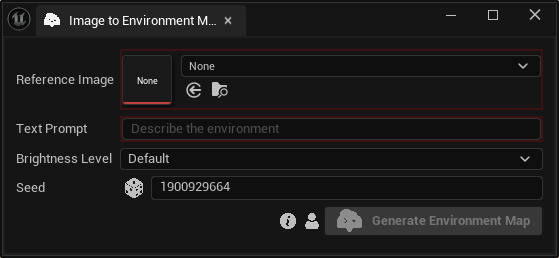
Inputs:
Reference Image:The image used as reference to create HDR environment.Text Prompt:Text description of the desired HDR environment.Brightness Level:Brightness preset that controls the exposure and dynamic range of the generated HDR environment. Choose between “Default”, “Bright” and “Dark”.Seed:A random number used for generating varied outputs with identical inputs. For instance, two HDR environments with different seeds, might differ even with the same reference image, text prompt and negative prompt.
info
The reference image acts as a stylistic reference only. The AI analyzes the color palette, lighting direction, and overall mood of the image to inform the final 360° output. It will not create a literal 1:1 reproduction of the image's geometry or specific objects.