Environment Map to World
Overview
The Environment Map to World tool transforms HDR environment maps into immersive 3D worlds. It allows users to translate lighting and background data into a complete environmental scene, providing control over the spatial layout and atmospheric depth while producing varied results with the use of a random seed value.
Tool Inputs
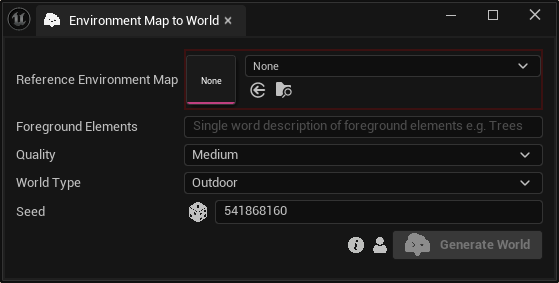
Inputs:
Reference Environment Map:The environment map used as reference to create the world.Foreground Elements:Single world description of foreground elements that will be excluded in a different mesh.Quality:The generated meshes quality.World Type:Choose between “Outdoor” and “Indoor“.Seed:A random number used for generating varied outputs with identical inputs. For instance, two worlds with different seeds, might differ even with the same reference environment map and foreground elements.