World Results
This page contains information on where to locate your world results, how to manually download them and some fine-tuning tips.
Find results
Upon request, the plugin creates a results folder and copies the reference HDR map for use in an HDRI Backdrop. A specialized data asset automates the final assembly of the scene. Once the generation is complete, the plugin downloads the world assets, consisting of a Static Mesh and a Material with Base Color and Normal Map textures.
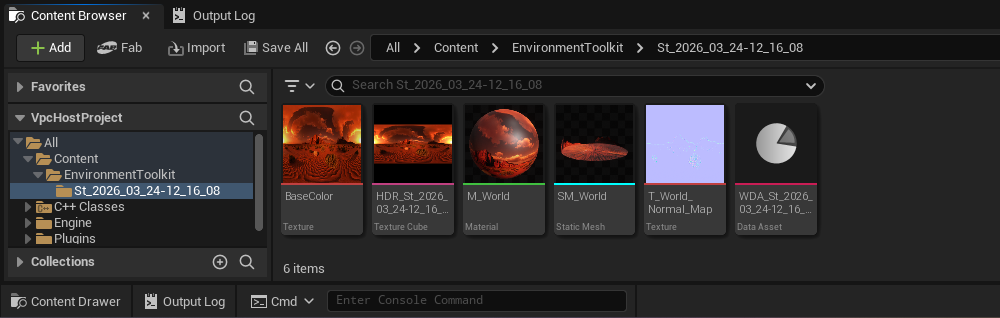
Once the result is ready, the FBX file is automatically downloaded and imported as a StaticMesh .uasset in your project's Content folder in a subfolder named EnvironmentToolkit:
Content/EnvironmentToolkit/St_{Timestamp}
To customize the default output directory, navigate to Edit > Project Settings within the Unreal Engine Editor. Under the Plugins section, select StudioTwin Environment Toolkit to modify the SaveFolder setting. Note that all specified paths are relative to the project's Content/ folder.
If you wish to download the .fbx file you can navigate to the notification widget and press the hyperlink, and download the result on your browser.
