Environment Outpainting
Overview
The Environment Outpainting tool allows users to extend the boundaries of an existing image to create a larger, more immersive scene. By leveraging a source image and descriptive text, the tool intelligently generates new visual content that maintains the lighting, style, and perspective of the original, effectively transforming a standard frame into a panoramic environment.
Tool Inputs
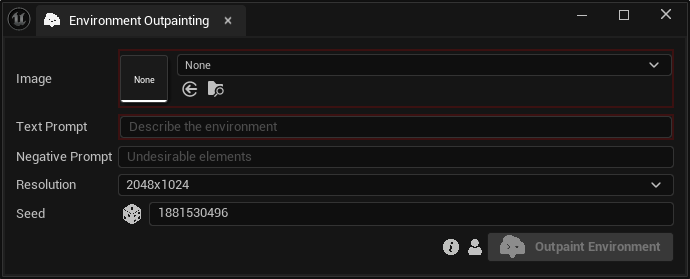
Inputs:
Image:The original image that will act as the anchor point for the outpainting.Text Prompt:Text description of the desired environment.Negative Prompt:Anything that needs to be excluded from the generation.Resolution:The target resolution of the environment. Choose between “1024x512”, “2048x1024” and “4096x2048”.Seed:A random number used for generating varied outputs with identical inputs. For instance, two environments with different seeds, might differ even with the same image, text prompt, negative prompt and resolution.