Get Started
TL;DR
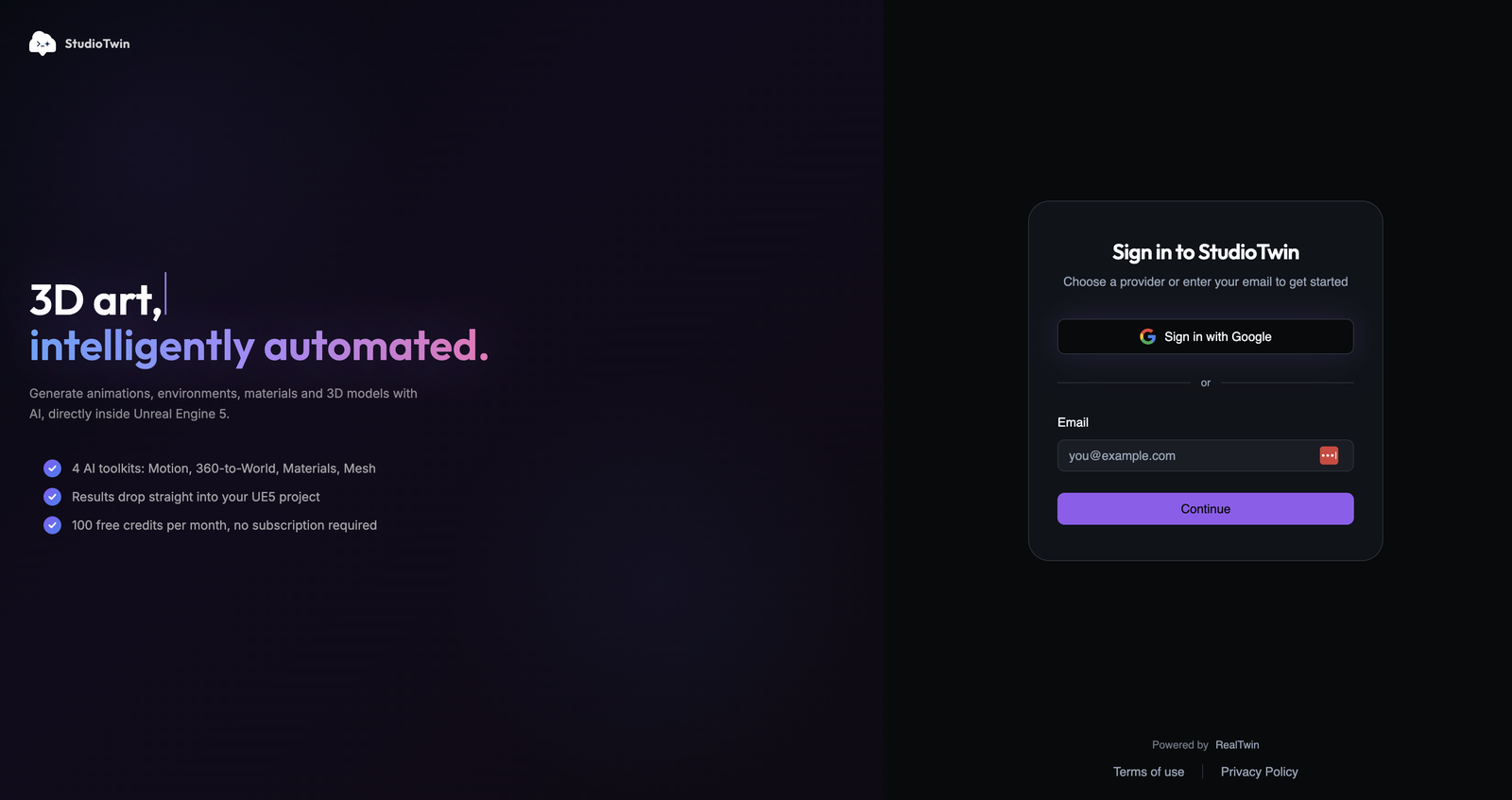
- Sign in at app.studiotwin.ai with Google or your email address. No application form, no waiting list.
- Create an API key and choose your path: Web, Blender, or Unreal Engine.
- For Web, connect StudioTwin Web MCP. For Blender, connect Web MCP first and then install the Blender-specific components. For Unreal Engine, install the StudioTwin plugin and configure the key in its settings.
- Generate your first asset using your chosen host.
- New accounts get 50 credits a month. Complete your profile for 100 a month, plus 50 added right away. See How Credits Work.
Step by step
1. Create your account
Go to app.studiotwin.ai and either:
- Click Sign in with Google, or
- Enter your email address and click Continue
2. Create an API key
The dashboard has a Get Started page, reachable from the sidebar and from a banner at the top of the Overview page.
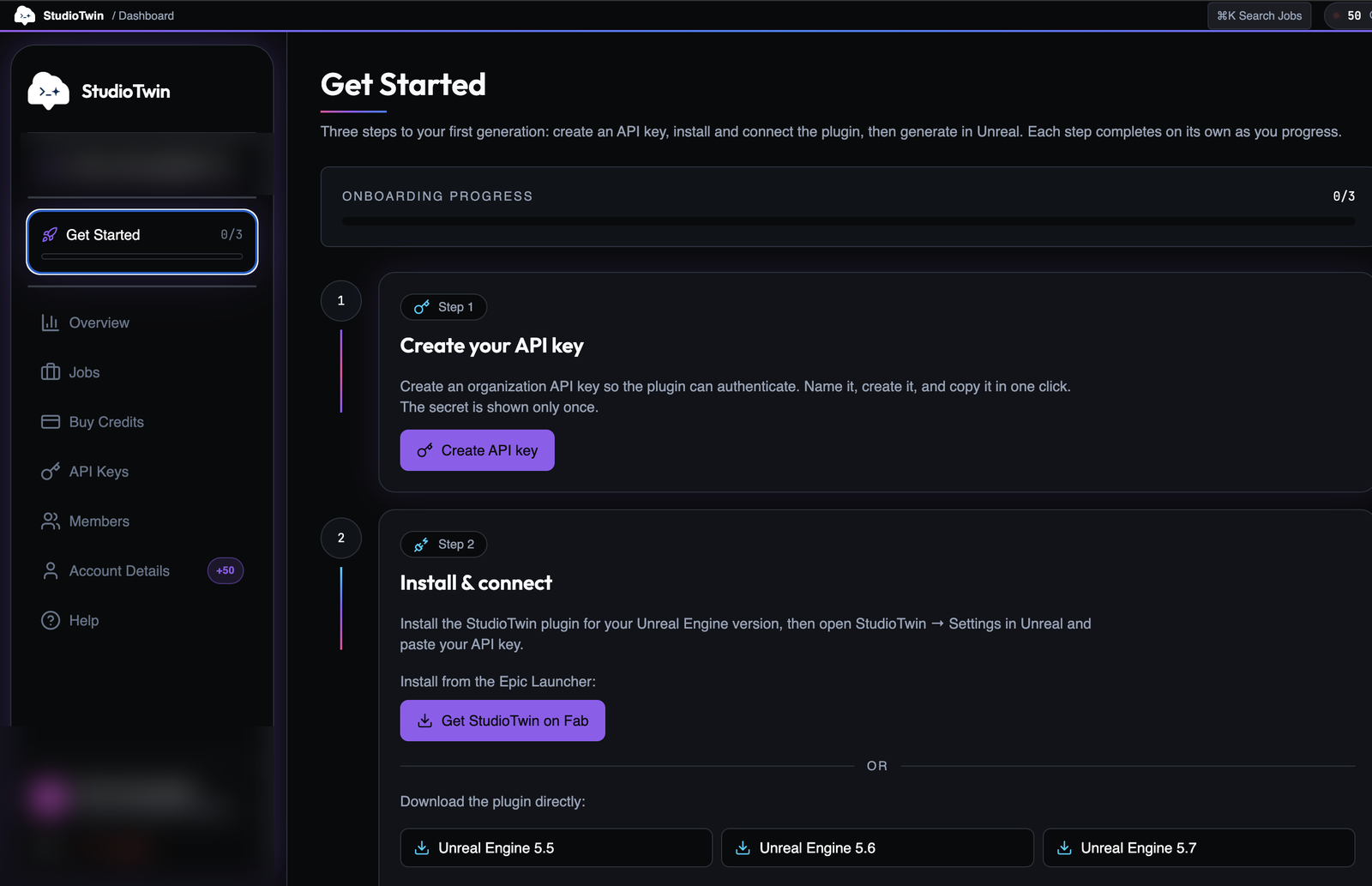
Create your key from the Get Started page or the API Keys page. The secret is shown only once, so copy it immediately and keep it in a secret manager. Never paste it into chat or commit it to source control.
3. Choose and connect your host
Web / no DCC
StudioTwin Web MCP can operate standalone without a connected DCC application. Follow the canonical Web MCP setup, then discover and use the live tools.
Unreal Engine
Install from the FAB listing through the Epic Games Launcher, or download the plugin directly for your Unreal Engine version. The Installation guide explains both options.
Once the plugin is installed, open its settings and paste your API key there. See Configure API Key. If you plan to use an agent, optionally continue with the UE MCP guide to configure and verify the MCP path. Then pick any toolkit in Unreal and run your first generation. Progress appears at the bottom right of the editor, and the completed asset is imported into your project.
Blender
The StudioTwin Blender addon and end-to-end MCP workflow are released. Web MCP handles every StudioTwin cloud operation in that workflow. First complete the canonical Web MCP setup. Then follow Blender-specific MCP setup to install the official Blender MCP and StudioTwin Blender addon. Generate and download through Web MCP, then import supported local outputs through the official Blender MCP and StudioTwin Blender addon.
See the host-specific setup guide for supported versions, installation details, and connection checks before your first generation.
4. Unlock your full monthly credits
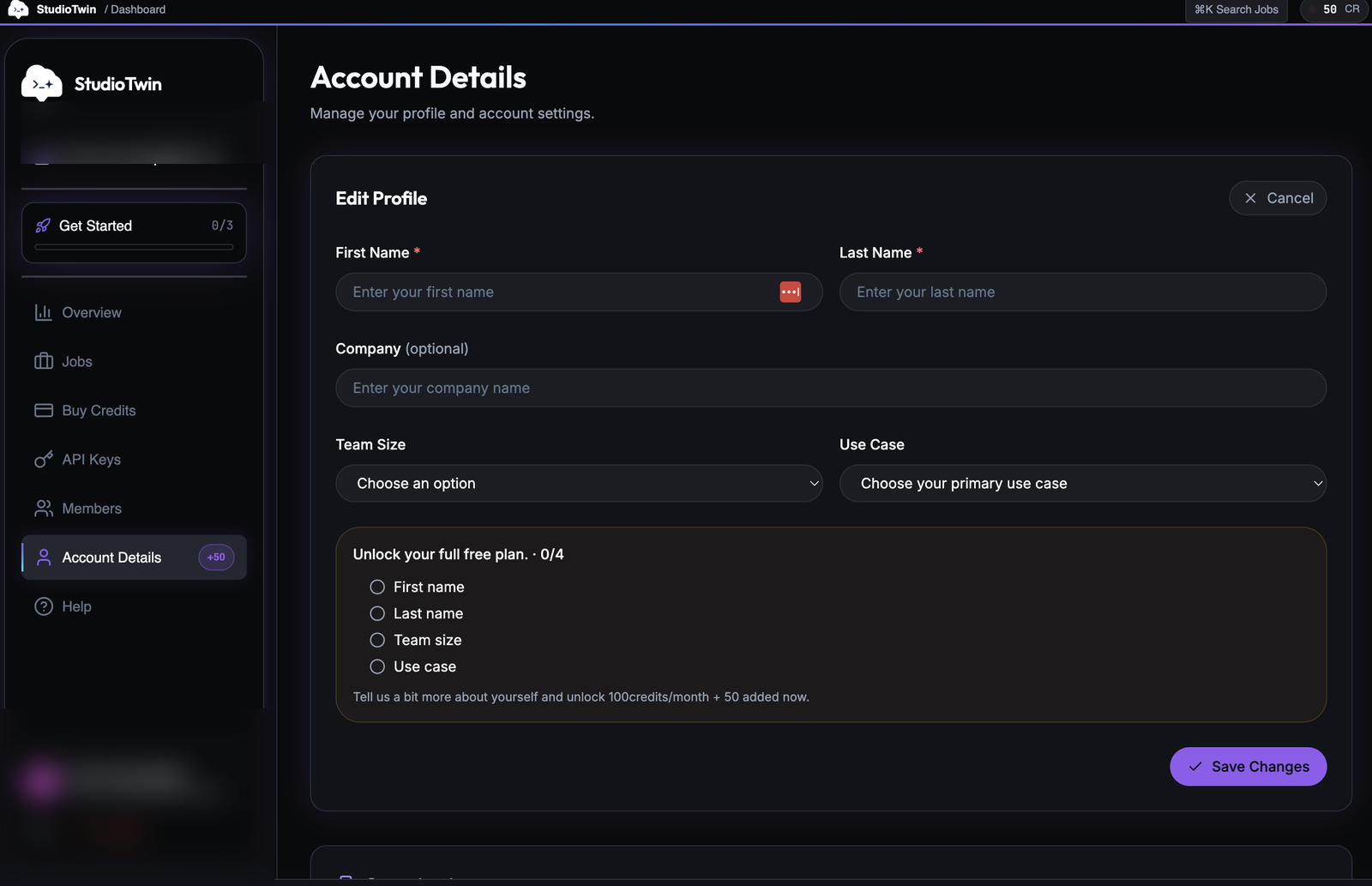
New accounts start with 50 credits per month. Completing your profile raises that to 100 per month and adds 50 credits immediately.
Go to Account Details and click Edit Profile, then fill in:
- First name
- Last name
- Team size
- Use case
Company is optional and is not required to unlock the higher allocation.
See How Credits Work for more details.
What is Next
- How Credits Work - what each generation costs
- StudioTwin Web MCP - cloud setup and workflow
- Blender addon - supported Blender imports
- Motion Toolkit - generate your first animation in Unreal Engine
- Environment Toolkit - create your first 3D environment in Unreal Engine
- Jobs - track and download past generations