Motion Stitch
Overview
Motion Toolkit can take two animations and blend them into one sequence with the "Motion Stitch" tool. To use it, select animations from your Content Browser and drag them into the desired Animation field, either Animation #1 or Animation #2.
Tool Inputs
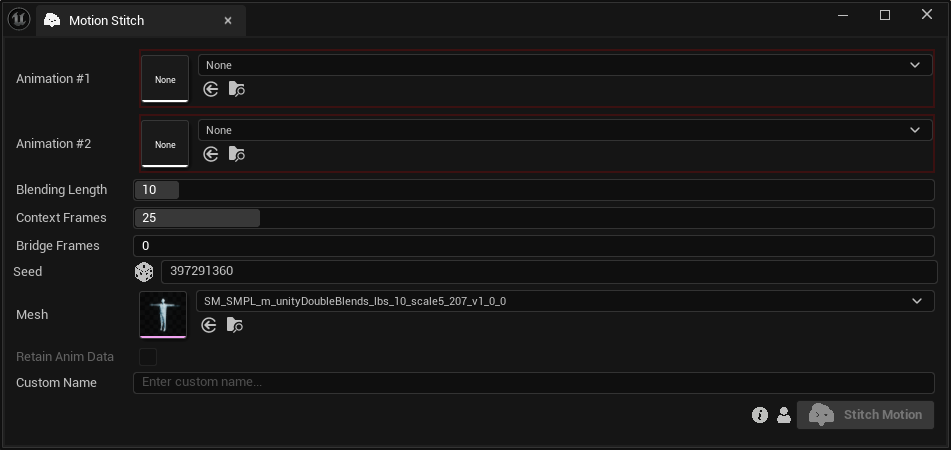
Inputs:
Animation #1:The first animation of the sequenceAnimation #2:The second animation of the sequenceBlending Length:The last frames of the first animation and the first frames of the second animation that will be modified for stitching. Range: 1–150 frames.Context Frames:Extra unchanged frames used to help the model understand each motion. Range: 1–150 frames.Bridge Frames:New frames generated between the two animations. Range: 0–200 frames. The combined generated range cannot exceed 300 frames.Seed:A random number used for generating varied outputs with identical inputs. For instance, a stitched motion with different seeds might differ even with the same animations, blending length, context frames and bridge frames.Retain Anim Data:Enable if you want to keep animation data that our model does not process.Custom Name:An optional name for the generated motion. Leave it blank to use the default name.