Environment Outpainting
Overview
The Environment Outpainting tool allows users to extend the boundaries of an existing image to create a larger, more immersive scene. By leveraging a source image and descriptive text, the tool intelligently generates new visual content that maintains the lighting, style, and perspective of the original, effectively transforming a standard frame into a panoramic environment.
Tool Inputs
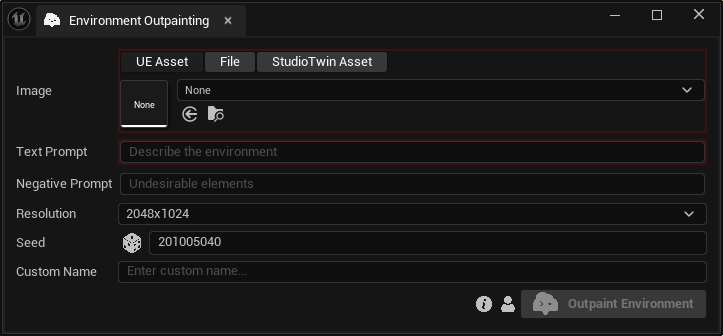
Inputs:
Image:The original image that will act as the anchor point for the outpainting. Learn more about multimodal asset inputs.Text Prompt:Text description of the desired environment.Negative Prompt:Anything that needs to be excluded from the generation.Resolution:The target resolution of the environment. Choose between “1024x512”, “2048x1024” and “4096x2048”.Seed:A random number used for generating varied outputs with identical inputs. For instance, two environments with different seeds, might differ even with the same image, text prompt, negative prompt and resolution.Custom Name:An optional name for the generated environment map. Leave it blank to use the default name.