Text to Material
Overview
Text to Material generates a complete Unreal Engine material from a simple descriptive prompt. It utilizes AI-driven synthesis to create high-fidelity albedo, normal, roughness, metalness and heightmap from scratch based on your input. This tool enables users to produce ready-to-use materials instantly, removing the need for source images or manual texture creation while maintaining professional-grade results.
Tool Inputs
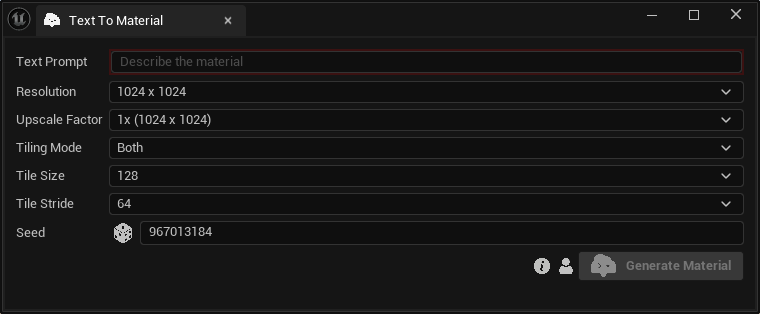
Inputs:
Text Prompt:Text description of the desired material.Resolution:The resolution of the generated material textures. Choose between “512 x 512”, "1024 x 1024” and “2048 x 2048”.Upscale Factor:The upscale factor of the generated material textures. Choose between “1x”, "2x” and “4x”.Tiling Mode:The reference image that contains the material. Choose between “Both”, "Horizontal” and “Vertical”.Tile Size:The tile size in latent space. Choose between “32”, "64”, "128” and “256”.Tile Stride:The tile stride in latent space. Choose between “16”, “32”, "64” and "128”.Seed:A random number used for generating varied outputs with identical inputs. For instance, two materials with different seeds, might differ even with the same text prompt.
The final output resolution is determined by the combination of the base Resolution and the Upscale Factor. For example, selecting a base resolution of 2048 x 2048 with a 4x Upscale Factor will produce a high-fidelity 8K (8192 x 8192) material.
Material Toolkit uses custom Template Materials to import your results. You can learn how to use a custom material during the import process at our Using Custom Parent Materials page.